
How We Use Claude on Salesforce Work (and the Guardrails That Keep It Honest)
AI can write Apex in seconds. The hard part is knowing when that Apex is wrong. Here is how we run Claude on real Salesforce delivery: written rules, enforced hooks, and proof before anything is called done.
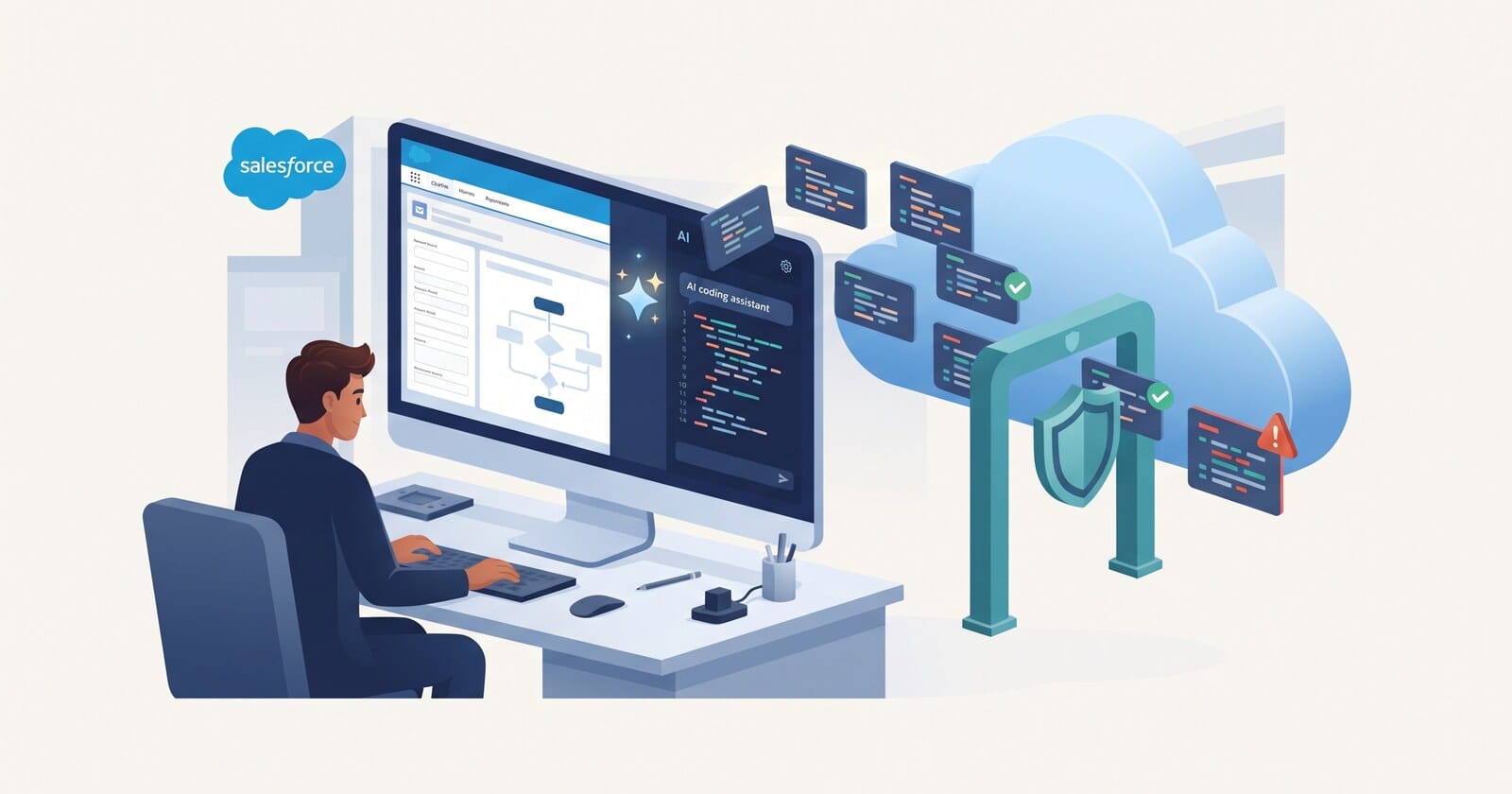
The first time I asked an AI model for an Apex trigger, it gave me one in about four seconds. It compiled. It had a test class. It also ran a SOQL query inside a loop and protected itself from recursion with a bare static Boolean, which means it would quietly skip every record after the first 200 in a bulk load.
Nothing about that code looked wrong, so nothing in a quick review would have caught it.
Writing Salesforce code was never the slow part of a project. Knowing which code is safe to ship is. So when we moved Claude from a chat window into our day-to-day delivery, we spent less time on prompts and more time on the system around it: what it is told, what it is physically allowed to do, and what counts as finished.
This is what that system looks like today.
Write the rules down where the model reads them
Claude Code reads a CLAUDE.md file at the start of every session. Most people use it for a few project notes. We use it as the entry point to our actual engineering standards.
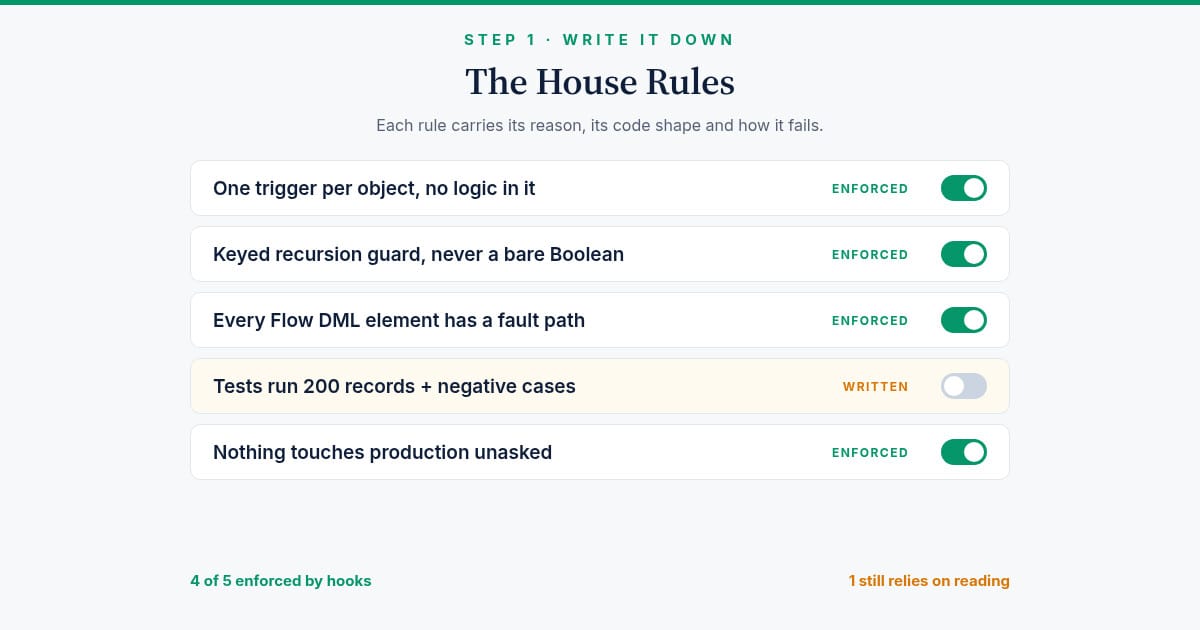
There is one standards file for Apex and one for Flow, each with fifteen rules. A few examples:
- One trigger per object, and the trigger holds no logic. It hands off to a handler class in two lines.
- Recursion is controlled with a keyed guard, never a bare static Boolean. The Boolean version passes every test and fails on the second chunk of a data load.
- Every DML, Apex and Subflow element in a Flow has a fault path.
- Every Get Records is followed by a Decision that checks it found something.
- Tests assert behaviour, not coverage. Every bulk path is tested with 200 records, plus the negative and permission cases.
The lesson that took longest to learn: a headline is not enough. "Bulkify your code" means nothing to a model in a hurry. Each rule in our files carries three things: the reasoning, the shape of correct code, and the specific way it fails in production. When the model understands why a rule exists, it applies it to cases the rule never mentioned.
A note gets ignored. A hook does not.
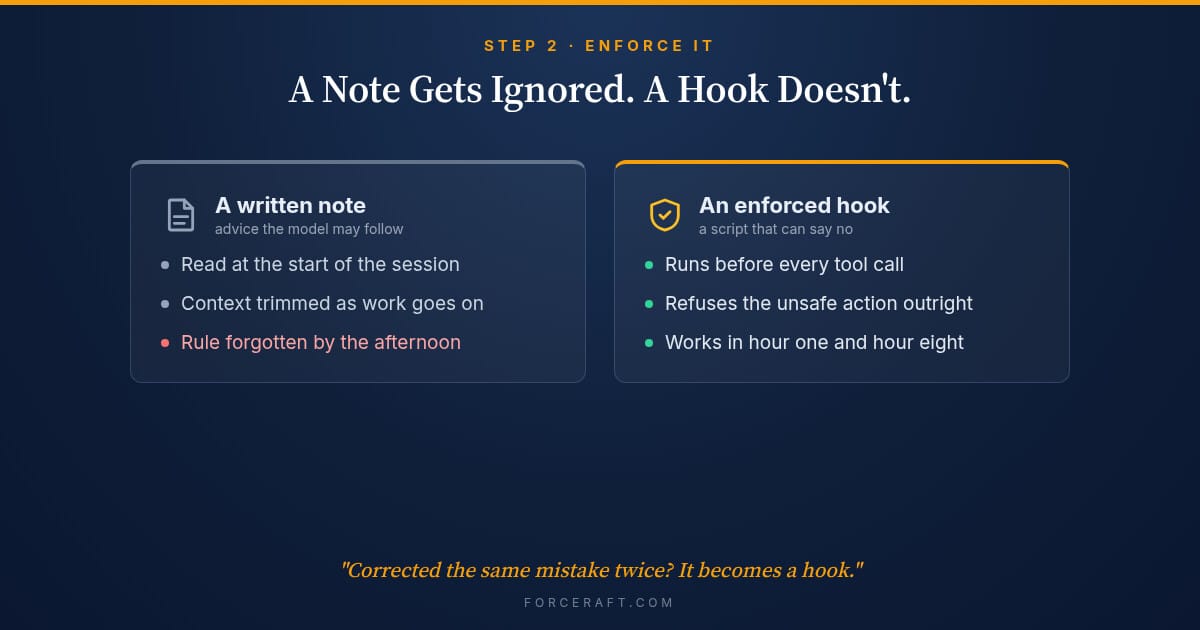
Instructions drift. Long sessions get summarised, context gets trimmed, and a rule that was obeyed at 9am is forgotten by 4pm. So the rules that really matter live in hooks: small scripts that run before Claude's tool calls and can refuse them outright.
Some of ours:
- Only a specialist Salesforce agent may write Apex, triggers or Flow metadata. The general session is blocked from creating those files at all. The specialist agent loads the full standards before it starts, so nothing gets written by a session that skipped the reading.
- Static analysis runs before deploy. Salesforce Code Analyzer is wired in, and a Critical or High finding stops the deploy.
- Nothing touches production unless a person asks for it. That includes validation-only deploys. A dry run still creates a deploy request in the org, so it counts.
- Old API habits are flagged on write, before they ever reach a pull request.
Our working rule is simple: if we have to correct the same mistake twice, it becomes a hook. A correction that lasts one session is compliance, not learning.
Stay current with the platform
Salesforce ships three releases a year, and Apex changes in most of them. Security is the obvious example: new Apex is now steered toward user-mode database operations, and older patterns are on their way out. A model trained months ago does not know what changed last release, and a standards file written last year goes quietly stale.
So our standards name the API version production actually runs, and a small script checks Salesforce's published API versions against it. When a new version appears that the rules do not mention, Apex and Flow writes are refused until someone has read the release notes and updated the rules that changed. Adding the version number without reading the notes would silence the check, so that is not allowed either.
It is a slightly annoying gate. It is also the only reason our rules are still true.
Every feature branch starts from main
This one we learned the hard way.
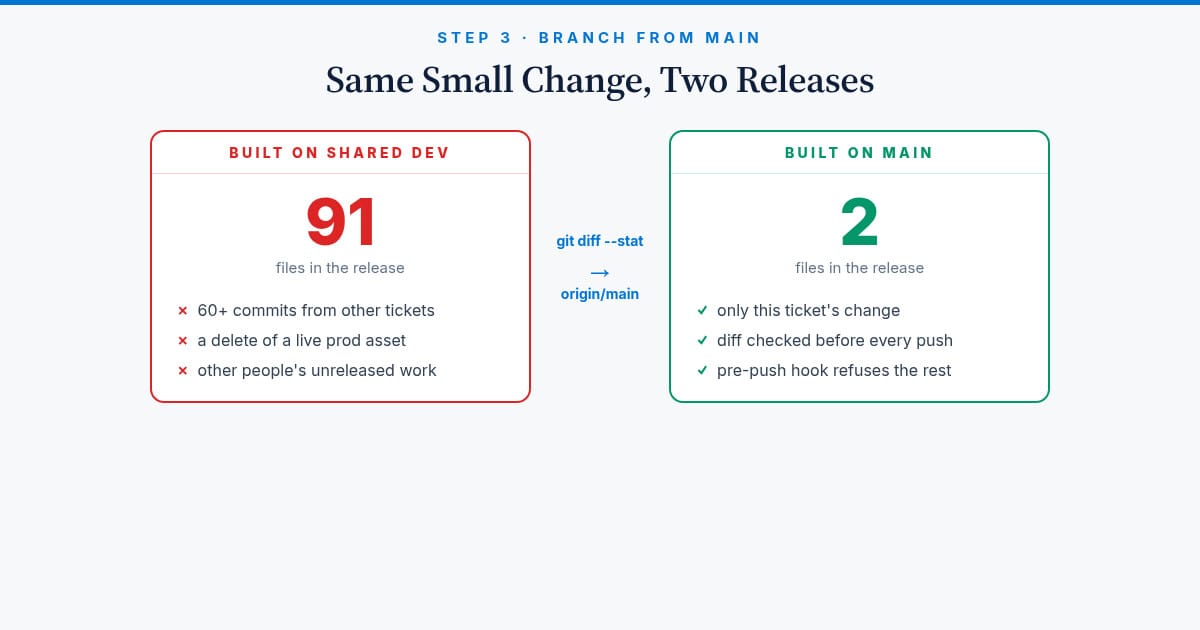
On one project, an AI session created three feature branches on top of a shared development branch instead of on top of main. Each change was small: a page layout tweak, a couple of components, a set of logging classes. But each release candidate quietly carried around 60 commits of other people's unreleased work, including a delete of a live production asset. Nothing shipped, because the release review caught it. It should never have got that far.
The rule now is absolute. A ticket's branch is created from main. Before any push, the diff against main must list only that ticket's files. A pre-push hook refuses anything whose history includes an environment branch, and skipping the hook is not an option. Promotion between environments is the pipeline's job, never the developer's or the AI's.
A green job is not a deployed change
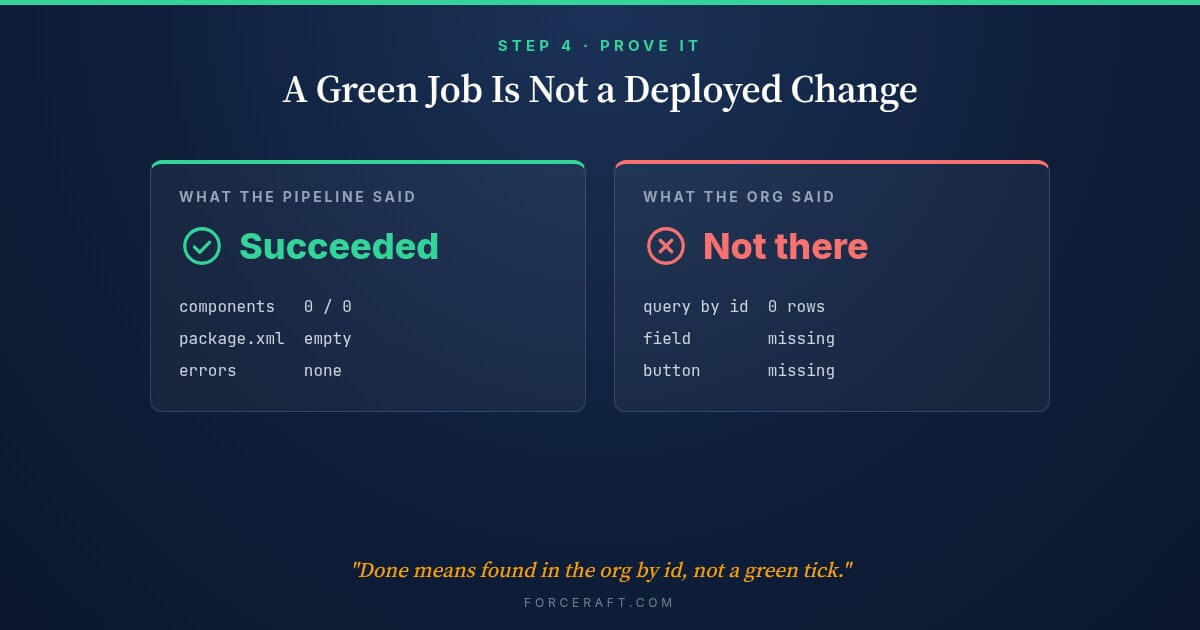
We once watched a deployment pipeline report "Succeeded" on a change that deployed nothing. A metadata filter stripped the components before the package was built, the package was empty, and an empty package has nothing to fail on. The org, queried afterwards, still did not have the change.
AI makes this worse, because a model is very good at reading a green status and writing a confident summary.
So "done" has a stricter meaning for us:
- Query the component in the target org by its id, not the job status.
- Exercise the real outcome. A Flow change is proven by a real record that went through it and came out right.
- Prove the check can fail. Any automated verifier we add must show it goes red on a broken case before we trust it to go green.
This is the single habit that changed our results the most. It costs a few minutes per change and saves the meeting where someone explains why production does not match the release notes.
Keep the data where it belongs
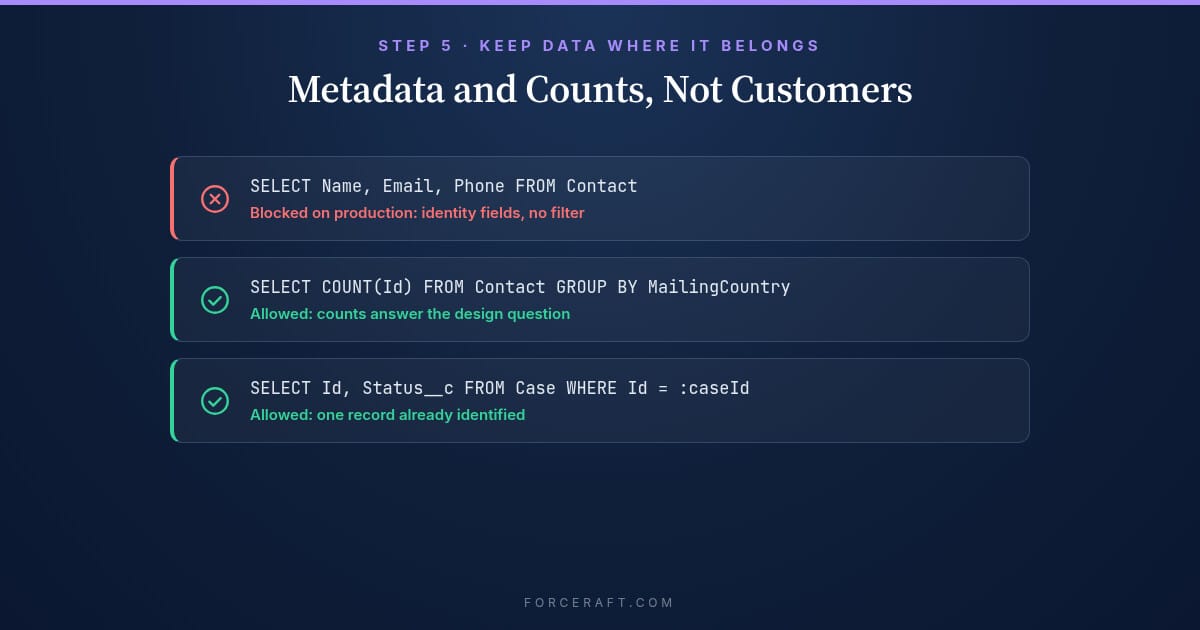
Claude does not need customer records to write good code. It needs metadata, structure and counts.
So queries against production default to ids, counts and GROUP BY. A guard refuses broad production queries that pull identity fields like names, emails or phone numbers, unless the query is narrowed to a handful of records already identified. Credentials are read into variables and never printed, and a second check scans command output in case something slips through anyway.
None of this is clever. It just means the default path is the safe one, so nobody has to remember.
What Claude is good at, and what stays with people
Where it earns its place for us:
- Reading an unfamiliar org fast. Tracing every caller of a class, every Flow that touches a field, every permission set that grants an object.
- Writing the tests people skip. The 200-record bulk test, the user without the permission set, the record with the empty lookup.
- Reviewing a diff with fresh eyes, including whether a shared Flow is about to lose a colleague's elements.
- Keeping documentation in step with the change, because it is already holding the change in context.
What stays with people:
- Deciding what to build, and talking to the users who will live with it.
- Approving anything that reaches production.
- Commercial and judgement calls. We once had a set of usage records with no price anywhere in Salesforce. No query fixes that. Someone has to decide.
Where to start
If you are bringing AI into your Salesforce delivery, do not start with prompts. Start with three things:
- Write your standards down, with the reason and the failure mode for each rule.
- Turn your two most expensive past mistakes into hooks, so they cannot happen again.
- Redefine "done" as proof in the org, not a green status.
The model will get faster every few months. The guardrails are what make that speed safe to use.
We build this way for clients too: Salesforce delivery with AI in the loop and the guardrails in place from day one. See our services or get in touch.